
Table of Contents
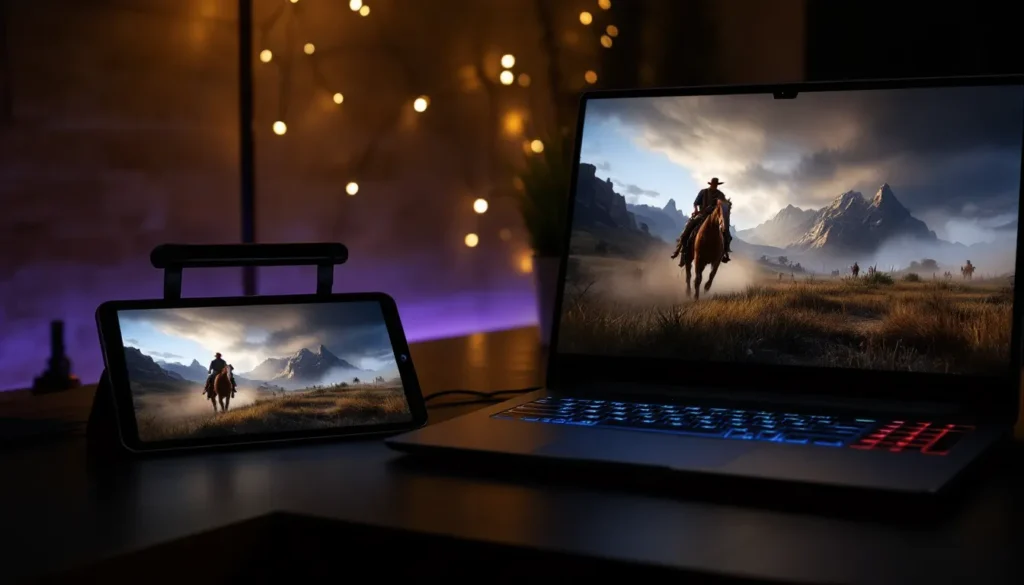
ToggleRed Dead Redemption 2 is a beast of a game. Rockstar’s sprawling western epic demands serious hardware, we’re talking high-end GPUs, beefy processors, and storage that doesn’t quit. But what if you didn’t need any of that? Cloud gaming is changing the rules, letting you saddle up and explore the frontier from practically any device with an internet connection. Whether you’re on a laptop in a coffee shop, a tablet on your couch, or streaming to your phone between commutes, Red Dead Redemption 2 cloud gaming makes the impossible possible. This guide breaks down exactly how to play RDR2 via the cloud, what platforms support it, and whether this approach is right for your gaming style.
Key Takeaways
- Red Dead Redemption 2 cloud gaming eliminates hardware barriers, allowing you to play on any device with a stable internet connection without expensive GPU or processor upgrades.
- Game Pass Ultimate ($16.99/month) is the most accessible cloud gaming platform for RDR2, offering 1080p/60fps streaming and access to 400+ games included in the subscription.
- Stable 50+ Mbps download and wired Ethernet connections minimize input lag to imperceptible levels during RDR2’s exploration and story-focused gameplay, making cloud gaming nearly as responsive as local installation.
- Cloud gaming excels for multi-device players, enabling you to start a mission on your PC and resume seamlessly on a tablet or mobile device with synchronized progress.
- Network stability and low latency matter more than raw speed for cloud gaming; a consistent 35 Mbps connection outperforms an unstable 100 Mbps connection with high jitter.
- NVIDIA GeForce Now offers premium ray-tracing capabilities if you already own RDR2 on Steam, while PlayStation Plus Premium provides cloud streaming with seamless account integration for Sony ecosystem players.
What Is Cloud Gaming and How Does It Work?
Understanding Cloud Gaming Technology
Cloud gaming isn’t magic, but it feels like it. Instead of running a game on your local hardware, the server farm does all the heavy lifting. Your input (controller presses, mouse movements) gets sent upstream, the game renders on a distant server, and the video stream comes back to your device in real-time. It’s the same principle Netflix uses for video, except with real-time interactivity and much lower tolerance for delays.
Here’s the flow: You press a button on your controller. That input travels to Rockstar’s or a third-party server running RDR2. The server processes your action, say, Arthur draws his revolver. The game renders that frame at 1080p, 1440p, or 4K depending on your tier. Compressed video gets streamed back to you within a few milliseconds. You see Arthur’s gun drawn and continue playing without skipping a beat.
The tech behind this is complex. Servers use hardware encoding to compress video streams without destroying visual fidelity. Latency (the delay between your input and seeing the result) is the critical metric. Most cloud platforms aim for 40–80ms total latency, which is often imperceptible to human perception during slower-paced games.
Why Cloud Gaming Benefits Action-Heavy Games Like RDR2
Red Dead Redemption 2 is actually a perfect fit for cloud gaming, even though being an action title. Yes, competitive shooters require sub-100ms latency to be viable, but RDR2’s pacing is fundamentally different. Combat encounters aren’t twitch-based. Hunting, exploration, missions, and story moments don’t demand frame-perfect timing. The game rewards deliberate, methodical play, which aligns perfectly with cloud gaming’s strengths.
Cloud platforms excel at handling visually demanding open worlds. RDR2’s massive map, detailed NPCs, volumetric fog, and complex weather systems require serious GPU muscle. Streaming these graphics from a remote server actually bypasses the hardware barrier entirely. You get the full, uncompromised visual experience on a device that couldn’t run it locally.
Another advantage: instant access. No multi-hour installation. Launch the cloud version and you’re playing in seconds. For a 150GB behemoth like RDR2, that’s a game-changer.
Cloud Gaming Platforms That Support Red Dead Redemption 2
Xbox Cloud Gaming and Game Pass Ultimate
Xbox Cloud Gaming (formerly Project xCloud) is integrated into Game Pass Ultimate subscriptions. Red Dead Redemption 2 is available on this service, making it one of the most accessible entry points. Game Pass Ultimate runs $16.99/month (as of 2026) and grants access to 400+ games, including RDR2, playable on PC, Xbox consoles, and mobile devices via the Xbox app or web browser.
The performance here is solid. Xbox Cloud Gaming runs RDR2 at 1080p/60fps on most connections, though recent updates support higher resolution options on premium tier subscriptions. Streaming quality adapts dynamically to your bandwidth, if your connection dips, resolution scales down to maintain smooth gameplay rather than introducing stuttering.
One major convenience: if you own RDR2 on Xbox or have it in your Game Pass library, cloud access is included automatically. No separate purchase needed. This makes it incredibly straightforward for console players wanting portable access.
GeForce Now and NVIDIA’s Performance Options
NVIDIA GeForce Now is the premium option for technical players. It works differently than Xbox Cloud Gaming, you can stream games you own on Steam, Epic, Ubisoft+, and other platforms. You’ll need to own RDR2 on Steam or another supported storefront first. It’s not included subscription-wise: you’re paying for streaming infrastructure, not game licensing.
GeForce Now offers tiered performance. The free tier streams at 1080p/60fps with one-hour sessions. Founders and Priority subscribers ($9.99–$19.99/month depending on tier) get access to RTX-enabled servers, which unlock ray-tracing features in RDR2. This means better reflections, realistic lighting, and enhanced shadows, visual improvements that only high-end local hardware typically provides.
The standout feature: input latency is exceptional on GeForce Now. NVIDIA’s infrastructure prioritizes low-latency streaming through regional server distribution. For players sensitive to input lag during aiming or vehicle controls, this platform often outperforms competitors.
PlayStation Plus Premium Cloud Access
PlayStation Plus Premium ($17.99/month or $199.99/year) includes cloud gaming capabilities, though availability varies by region. In supported areas, you can stream games from the PlayStation’s extensive catalog directly to your PS5, PS4, PC, or mobile devices.
Red Dead Redemption 2 is available via PlayStation Plus Premium, though it’s subject to Sony’s ever-rotating catalog. Performance targets 1080p/60fps on stable connections. The integration with your PlayStation Network account is seamless, progress synchronizes across devices, and your save files follow you automatically.
Platform-specific note: PlayStation Plus Premium’s cloud gaming is strongest on PS5 and dedicated TV streaming via PlayStation Link hardware. Mobile cloud play exists but isn’t as polished as competitors’ mobile implementations.
Other Streaming Services and Alternatives
Beyond the big three, options get sparse. Amazon Luna was an early cloud gaming platform but has struggled with adoption and content licensing. RDR2 isn’t consistently available on Luna’s catalog. Google Stadia shut down in January 2023, so that’s off the table entirely.
Some smaller regional services exist (like Boosteroid), but support for RDR2 varies wildly, and uptime reliability isn’t guaranteed. Stick with the established platforms unless you’re willing to troubleshoot connectivity on a service with a smaller infrastructure team.
For maximum flexibility, NVIDIA GeForce Now remains the best third-party option because it leverages your existing game library rather than locking you into a platform’s catalog.
System Requirements and Internet Specifications
Minimum Internet Speed Requirements
Internet speed is your primary constraint with cloud gaming. Streaming a game is substantially more demanding than streaming video because it’s interactive and requires low latency.
Bare minimum for playable cloud gaming:
- 25 Mbps download for 1080p/60fps
- 5 Mbps upload (for sending controller inputs)
- Stable 4G LTE or better on mobile
For RDR2 specifically, you can technically play at 25 Mbps, but the experience will be tighter. Texture streaming might lag, and resolution could dip during complex scenes. Recommended speeds jump to 50 Mbps download for comfortable 1440p or 4K streaming without compromises.
Broadband type matters. Wired fiber or cable connections are dramatically more stable than satellite or fixed wireless. If your ISP caps uploads at 1 Mbps, cloud gaming becomes frustrating regardless of download speeds, your input lag will spike.
Device Compatibility Across PC, Console, and Mobile
One of cloud gaming’s biggest perks: device agnostic support. RDR2 cloud gaming works across:
- PC: Any Windows 10/11 PC, even budget models from 2015. Chromebooks also work via web browser on services like Xbox Cloud Gaming.
- Console: PS5, PS4, Xbox Series X/S, and Xbox One all support cloud versions (depending on service).
- Mobile: iPhone, iPad, and Android phones via dedicated apps or web browsers.
- Smart TVs: Some TV models run streaming apps natively: others need a streaming device like Apple TV, Fire Stick, or Roku.
- Tablets: iPad Pro, Samsung Galaxy Tab, and others handle cloud gaming well.
Minimum specs are laughably low. A decade-old laptop, a refurbished tablet, or last-gen mobile can handle cloud gaming without breaking a sweat. The GPU, CPU, and storage matter zero, only your screen and internet connection do.
Display resolution varies by device, which affects your viewing experience. A 1080p laptop screen won’t display 4K streams, but services compress to match your device’s resolution anyway, so bandwidth is used efficiently.
Network Stability and Latency Considerations
Speed is half the battle: consistency is the other half. A connection that averages 50 Mbps but spikes up and down will feel worse than a steady 35 Mbps. Cloud gaming services carry out adaptive streaming to handle this, they’ll drop resolution temporarily if stability drops, but constant buffering kills immersion.
Ping (latency) is the critical measure here. Most gamers won’t perceive latency under 50ms. Between 50–100ms, there’s noticeable but tolerable delay. Above 100ms, input lag becomes frustrating, especially during shootouts or vehicle controls.
Wi-Fi introduces unpredictability. Interference from neighbors’ networks, microwaves, or walls can spike latency. For cloud gaming, wired Ethernet is always superior if possible. If Wi-Fi is your only option, position your device within 20 feet of the router and use the 5GHz band rather than 2.4GHz.
Regional server placement matters more than people realize. If the nearest cloud gaming server is thousands of miles away, latency climbs naturally. Xbox Cloud Gaming and Game Pass updates regularly expand server locations to reduce this problem, check your service’s server map to confirm a nearby location supports RDR2 streaming.
Performance and Quality Settings for Cloud Gaming RDR2
Resolution, Frame Rate, and Visual Quality Expectations
Cloud gaming services offer tiered quality settings tied to your subscription and connection speed. Here’s what you can realistically expect with Red Dead Redemption 2:
Xbox Cloud Gaming:
- Standard tier: 1080p at 60fps
- Premium tier: Up to 4K at 60fps (on supported devices with premium connections)
- Adaptive streaming adjusts real-time based on bandwidth
NVIDIA GeForce Now:
- Standard: 1080p at 60fps
- Priority: 1440p at 60fps
- RTX tier: Up to 4K at 60fps with ray-tracing enabled
- GeForce Now uniquely lets you push quality settings within RDR2 itself, you can crank graphics to “Ultra” and let the server handle rendering
PlayStation Plus Premium:
- Typical range: 1080p to 1440p at 60fps
- 4K availability depends on your TV and regional infrastructure
RDR2’s native graphics settings (foliage density, shadow quality, reflection detail, etc.) are handled by the cloud server, not your local device. This is a game-changer. Stream RDR2 from a server running Ultra settings, and you get those visuals on your phone. Your phone’s GPU contribution is literally zero.
There’s a catch: compression artifacts. Video streaming introduces slight visual compression to maintain reasonable bandwidth. If you examine textures closely, you might notice softness or slight pixelation compared to native 4K. In-game, with normal viewing distances, this is barely noticeable on a 1080p or 1440p connection.
Optimizing Your Gaming Experience
Start conservative with quality settings, then increase if your latency remains stable. Don’t immediately max resolution, test with 1080p/60fps for 30 minutes to confirm your connection is smooth, then bump up if desired.
In RDR2’s graphics settings (accessible within the cloud session), prioritize these tweaks:
- Texture quality: Ultra (your upload/download bandwidth handles this fine)
- Reflection quality: High (visual payoff without excessive latency impact)
- Shadow quality: Ultra (minimal performance tax on remote servers)
- Volumetric lighting: High (looks stunning when streaming)
- Water physics: Medium to High (full ultra can introduce micro-stutters on marginal connections)
Dynamic resolution helps. Enable this setting if available on your cloud platform, it lets the server reduce resolution momentarily during demanding scenes (dust storms, heavy firefights) rather than introducing frame drops or obvious stuttering. You’ll barely notice the dip, but gameplay smoothness remains unbroken.
Disable motion blur and film grain effects if input lag feels pronounced. These post-processing filters can amplify the perception of latency. Turning them off sharpens visual feedback from your controller inputs.
Setting Up Red Dead Redemption 2 on Your Preferred Cloud Platform
Step-by-Step Setup Guide for Beginners
For Xbox Cloud Gaming (Game Pass Ultimate):
- Subscribe to Game Pass Ultimate ($16.99/month), your first month is often discounted for new subscribers.
- Confirm RDR2 is in your Game Pass library. Search “Red Dead Redemption 2” in the Game Pass catalog: it should list as available on cloud.
- Download the Xbox App (PC/Mac) or open xbox.com/play in a browser (no app needed for Chrome or Edge).
- Sign in with your Microsoft account.
- Find RDR2 in the cloud games section and hit “Play” or “Stream.”
- The game launches in a window or fullscreen: you’re playing on a remote server immediately.
For NVIDIA GeForce Now:
- Own a copy of RDR2 on Steam or another supported platform. (You must already own the game: GeForce Now only streams what you’ve purchased.)
- Visit nvidia.com/en-us/geforce/geforce-now and create an account or sign in.
- Subscribe to a tier: Free ($0/month, limited sessions), Founders ($9.99/month), or Priority ($19.99/month).
- Add your Steam account to GeForce Now in your account settings under “Connected Services.”
- Launch the GeForce Now app (available for PC, Mac, and select smart TVs) or use the web version at play.geforcenow.com.
- Your Steam library appears: find RDR2 and click “Play.”
- The server automatically launches your version and syncs your progress.
For PlayStation Plus Premium:
- Subscribe to PlayStation Plus Premium ($17.99/month or $199.99/year).
- Confirm cloud gaming availability in your region. Go to your PS5/PS4 settings and check “Cloud Gaming” is enabled.
- Navigate to the PlayStation Store and search for RDR2 in the cloud section.
- Select “Stream” (not “Download”): the game launches from a remote server.
- If accessing via PC or mobile, install the PlayStation Remote Play app or visit the cloud gaming web app on playstationplus.com.
Controller Configuration and Input Options
Most cloud platforms auto-detect your controller. Here’s what works seamlessly:
Optimal Controllers:
- Xbox Controller (Series X/S, One, or older models), native support everywhere
- PlayStation DualSense or DualShock 4, native support on PlayStation Plus and GeForce Now: Xbox Cloud needs extra setup
- Most third-party controllers with standard button layouts (PowerA, HyperX, SteelSeries), work fine
Setup on Xbox Cloud Gaming:
Connect your controller via USB or Bluetooth. Xbox Cloud instantly recognizes it: no configuration needed. If using a PlayStation controller, you may need to remap buttons in Windows settings before starting the stream.
Setup on GeForce Now:
Connect your controller. Launch a game: GeForce Now auto-detects most controllers. If buttons feel wrong, go to GeForce Now settings and select your controller model from the dropdown. You can also create custom button mappings.
Mobile and Tablet Setup:
For cloud gaming on phones, two options exist:
- Dedicated controller (like Xbox or SteelSeries Stratus) connected via Bluetooth, offers full control and is highly recommended.
- On-screen touchpad, a software overlay simulating a trackpad or joystick. This works for exploration but feels clunky for combat. Not ideal for RDR2.
Stick with a physical Bluetooth controller if you’re playing on mobile. The touchpad experience is functional but noticeably worse. Some players swear by phone grip stands paired with controllers: they transform mobile cloud gaming into something almost as comfortable as handheld consoles.
Advantages of Playing RDR2 on Cloud Gaming
No Hardware Requirements or Game Installation
This is the primary allure of cloud gaming, and it’s transformative for RDR2. Rockstar’s magnum opus demands serious specs locally:
- GPU: RTX 2070 Super or equivalent ($400–600 if upgrading)
- CPU: Intel i7-10700K or Ryzen 5 3600 ($200–300)
- RAM: 150GB of SSD space (RDR2 alone is massive)
- Storage: After installation, your SSD is 150GB lighter
Cloud gaming eliminates these barriers. A seven-year-old laptop with integrated graphics can play RDR2 at maximum settings. A $200 tablet can run it at 1440p. This democratizes access to AAA titles in a meaningful way.
Game installation is instant. No waiting hours for RDR2 to download and install. Click play and you’re in the frontier within seconds. For gamers with spotty internet or limited bandwidth caps, this saves gigabytes of data if you’re not actually storing the game locally.
Cross-Device Seamless Gaming
Start playing RDR2 on your PC, pause midway through a mission, grab your tablet, and resume within 20 seconds from the exact same point. Your save is synced server-side: you’re not transferring files or dealing with compatibility issues.
This flexibility is underrated. Imagine hunting in the Heartlands on your living room TV via Xbox Cloud, getting called away, and continuing on your phone during a commute without breaking stride. The ability to pivot between devices, sometimes within the same play session, legitimately changes how you engage with games.
Controls adapt too. Switch from controller to mouse/keyboard (if the cloud service supports it) mid-game without restarting. Different devices, same experience, no friction.
Cost Efficiency and Subscription Benefits
Game Pass Ultimate at $16.99/month is cheaper than buying RDR2 outright (which costs $60) if you play longer than three months. You also get access to 400+ other games, turning it into exceptional value.
NVIDIA GeForce Now’s free tier is legitimately playable if you own the game. You’re limited to one-hour sessions and lower resolution, but it’s zero-cost trial before committing to a paid plan.
PlayStation Plus Premium bundles cloud gaming with online multiplayer and a classic game catalog. If you’re already paying for PS Plus, the premium upgrade ($8 more monthly) adds cloud gaming to your subscription.
Compare to buying a gaming PC ($1000–2000) or upgrading your current one ($300–800). Cloud subscriptions are $10–20/month, a fraction of hardware costs. Over two years, that’s $240–480 versus $1000+ for upgrades. The math heavily favors cloud gaming for casual and moderate players.
Common Challenges and Troubleshooting Tips
Dealing With Lag and Input Delay
Perceptible input lag is the most common complaint. You press a button and see the action half a second later. This kills immersion and makes aiming frustrating during gunfights.
Causes and fixes:
- Distance from server: Use the cloud service’s region selector to pick the nearest server location. Xbox Cloud Gaming lists server regions in account settings: GeForce Now shows them in your client. Closer = lower latency.
- Wi-Fi interference: Move closer to your router or switch to Ethernet if possible. 5GHz band offers faster speeds but shorter range: 2.4GHz is slower but more stable. Experiment with both.
- Overcrowded network: Close bandwidth-hogging apps (downloads, video streaming, other cloud games). Shut down Discord video calls while cloud gaming.
- Controller battery: Low controller batteries can introduce input latency (Bluetooth reconnection attempts). Keep batteries above 40% charge.
- Stream quality too high: Lower resolution/framerate settings temporarily. Test at 1080p/30fps. If lag improves, your connection can’t handle higher quality: stick with lower settings.
If lag remains after these steps, your connection fundamentally doesn’t support cloud gaming comfortably. You’ll need to accept compromises or use local installation instead.
Network Connection Issues and Solutions
Disconnections or freezing mid-session:
- The cloud stream drops, you’re booted back to the menu, or the screen freezes for 10+ seconds.
- Cause: Usually temporary network drops or server hiccups.
- Fix: Check if your ISP has stability issues (run a speed test site like speedtest.net three times: consistent results are good, wildly variable results are bad). Restart your router. Confirm no other devices are using significant bandwidth. If this happens repeatedly with wired Ethernet, contact your ISP.
Persistent lag even though good bandwidth:
- Your speed test shows 100+ Mbps, but cloud gaming feels choppy.
- Cause: Jitter (inconsistent latency) or packet loss. Wi-Fi is usually the culprit.
- Fix: Switch to Ethernet. If stuck with Wi-Fi, move closer to the router, reduce environmental interference (away from microwaves, cordless phones), and switch to a less congested Wi-Fi channel (use WiFi analyzer apps to check).
Buffering or resolution drops during complex scenes:
- RDR2’s densely detailed areas (cities, dust storms) cause temporary resolution drops or brief stalls.
- Cause: Your connection bandwidth is sufficient on average, but peaks demand exceeds it.
- Fix: Manually lower stream resolution one tier. If at 1440p, drop to 1080p. The visual difference is minimal but stability improves.
Game Crashes and Disconnection Recovery
RDR2 crashes mid-session:
- This is rare but happens. The remote server experiences a crash, or the connection cuts so severely the stream is unrecoverable.
- Fix: Immediately reconnect to the cloud gaming app. Your save is on the server (not your device), so you’ll resume from your last checkpoint or auto-save. You won’t lose progress.
“Connection Lost” error or unexpected booting to menu:
- If your connection drops for more than a few seconds, cloud services forcibly disconnect you.
- Fix: Reconnect immediately. You’ll restart from your last save. This is why cloud gaming strongly benefits from stable internet, frequent disconnections mean repeatedly reloading saves.
Persistent server errors (“Cloud server unavailable”):
- The cloud platform’s servers are experiencing problems.
- Fix: Check the service’s status page. PC Gamer’s recent coverage often reports on major cloud platform outages. If widespread, wait 1–2 hours for the service to recover. If isolated to you, try restarting the cloud app or switching servers (if your service allows it).
Cloud Gaming vs. Native Gaming: Which Is Right for You?
When Cloud Gaming Excels for RDR2
Cloud gaming shines for:
Casual and story-focused players. RDR2’s narrative is the draw, not competitive performance. Cloud gaming’s slightly higher latency doesn’t impact your ability to enjoy the story, missions, or exploration. You’ll never feel limited.
Multi-device gamers. If you switch between PC, tablet, and TV regularly, cloud gaming’s cross-device continuity is invaluable. Playing a 150GB game on three different devices locally is impractical: cloud makes it seamless.
Budget-conscious players. A $20-30/month cloud subscription beats dropping $1200 on a gaming PC. If you’re not upgrading hardware anyway, cloud gaming makes AAA titles accessible.
Space-constrained users. No 150GB installation. Cloud gaming eases the burden on storage-limited laptops or phones. RDR2 never consumes local disk space.
Travelers and remote players. Playing RDR2 on a Chromebook at a hotel, via mobile hotspot at a campsite, or on any device anywhere is cloud gaming’s killer app. Portability is unmatched.
When Local Installation Is the Better Choice
Local gaming wins for:
Competitive multiplayer enthusiasts. RDR2 online doesn’t have esports, but the multiplayer modes (pvp, objectives) benefit from minimal latency. Even at 60ms, some input-sensitive mechanics feel smoother locally. If you’re a hardcore RDR Online grinder, local installation eliminates this concern entirely.
Ultra-high frame rate pushers. Want consistent 120+ fps with 1440p Ultra? Cloud gaming’s max is usually 60 fps at 4K or 120 fps at 1080p (tier-dependent), and you’re paying streaming overhead. A local RTX 4080 can comfortably exceed these specs.
No internet reliability. If your connection drops frequently, cloud gaming is frustrating. Local gaming doesn’t care if your ISP hiccups for a few seconds, you keep playing. If you have spotty internet, install locally.
Permanent ownership preference. Cloud subscriptions rotate games (services remove titles without notice). Game Pass Ultimate might remove RDR2 in 2027: your access ends. Purchasing RDR2 on Steam or Epic means permanent ownership. Some players value this security.
Offline capability. Internet dies and you’re stuck with cloud gaming. Local installation lets you play during outages or disconnections.
Modding (PC). If you want to use ReShade, HUD mods, or visual overhauls, cloud gaming doesn’t support this. You need local installation. (Note: RDR2’s anti-cheat is strict, so mods risk bans anyway, but the technical possibility exists locally.)
The honest assessment: Most RDR2 players benefit from cloud gaming. The game’s pacing, single-player focus, and exploration-heavy design align perfectly with cloud’s strengths. Local installation is for edge cases, competitive multiplayer focus, unreliable internet, or specific technical needs.
Tips and Tricks for the Best Cloud Gaming Experience
Bandwidth Management Strategies
Cloud gaming consumes more bandwidth than standard internet usage, so optimization matters:
Test your connection first: Before committing to cloud gaming, run a speed test (speedtest.net) during your intended play times. If speeds are consistently below 25 Mbps or jitter exceeds 20ms, cloud gaming will feel compromised.
Manage competing traffic: Close video streaming (YouTube, Netflix), suspend downloads, and ask household members to pause heavy usage while you play. Video streaming alone can steal 5–10 Mbps, pushing your available bandwidth below cloud gaming’s comfort zone.
Use Ethernet over Wi-Fi: This is non-negotiable for serious cloud gaming. Ethernet eliminates Wi-Fi’s unpredictability. If your router is far from your gaming device, get a longer Ethernet cable ($10–20) rather than tolerate Wi-Fi latency.
Schedule cloud gaming sessions strategically: Play during off-peak ISP hours (typically after midnight, early morning). ISP congestion during 6–10 PM can inflate latency even with adequate bandwidth.
Set reasonable quality expectations: Don’t insist on 4K if your ISP plan maxes at 200 Mbps shared with others. Drop to 1440p or 1080p and enjoy stability instead.
Enhancing Controller Responsiveness
Input lag is perception-based: small tweaks help:
Reduce controller battery latency: Wired connections (USB) are fractionally faster than Bluetooth. If your controller supports wired mode, use it during cloud gaming sessions. Wireless Bluetooth is convenient but introduces tiny delays from battery-saving techniques.
Lower resolution and framerate: Counter-intuitive, but lower-quality streams sometimes feel more responsive due to reduced encoding latency. Test 1080p/60fps against 1440p/60fps: the lower res sometimes feels faster even though the visual difference.
Enable “reduced motion” in game settings: Disable motion blur and film grain. These post-processing effects amplify the perception of input lag even if actual latency hasn’t changed.
Adjust dead zone settings: In RDR2’s controller settings, experiment with analog stick dead zones. Smaller dead zones feel more responsive but are more twitchy on high-latency connections. Find the sweet spot.
Close overlay apps: Discord, Steam overlay, and other background apps introduce fractional input lag. Disable them while playing cloud RDR2.
Recommended Lighting and Setup Optimization
Physical setup isn’t just comfort: it impacts performance and perception:
Display positioning: Sit 2–3 feet from your screen. Sitting too far reduces your ability to notice visual details (and so compression artifacts). Too close, and your eyes struggle to track motion, making input lag feel worse.
Ambient lighting: Bright lights reduce perceived lag by improving visibility. Dark rooms with high input lag feel worse. Use neutral, even lighting, avoid backlighting your monitor, which creates eye strain that amplifies latency perception.
Monitor refresh rate: Playing on a 144Hz monitor vs. a 60Hz monitor doesn’t directly improve cloud gaming (which is usually capped at 60fps), but higher refresh monitors introduce less latency in the display pipeline itself. If upgrading, prioritize lower response time (1–5ms) over high Hz.
Stable seating: Cloud gaming demands comfort during long sessions. A gaming chair with armrests keeps your controller steady and reduces fatigue-induced mistakes. Good posture also reduces eye strain, which otherwise makes input lag feel worse.
The Future of Cloud Gaming and Red Dead Redemption 2
Emerging Technology Improvements
Cloud gaming in 2026 is solid but not perfect. Latency, compression, and server availability are active development areas:
Codec improvements: AV1 encoding (replacing current H.265) will compress video more efficiently, maintaining visual quality at lower bitrates. This means cloud gaming becomes viable on slower connections, potentially opening up 4G LTE as a serious option rather than a backup.
Edge computing expansion: Major cloud providers are deploying smaller server clusters geographically closer to players. This reduces latency naturally. AWS, Google Cloud, and Microsoft are all investing heavily in regional deployment, expect sub-40ms latency in most populated areas within 2–3 years.
AI-assisted upscaling: Services are experimenting with AI upscaling (think DLSS) to stream lower-resolution content and upscale it locally, reducing bandwidth while maintaining perceived quality. If deployed broadly, this could drop minimum bandwidth requirements from 25 Mbps to 15 Mbps comfortably.
Haptic feedback refinement: DualSense and Xbox controllers’ haptic features are starting to transmit over cloud. Feeling RDR2’s gun recoil or horse gallop through haptics significantly enhances immersion. This tech is nascent but rapidly improving.
Industry Trends and What’s Next
Consolidation and exclusivity: Cloud gaming is consolidating. Major platforms (Xbox, PlayStation, NVIDIA) are dominating: smaller services are struggling. Expect Google Stadia-like shutdowns and more exclusivity deals where publishers license games to specific cloud platforms.
RDR2’s permanence on cloud: Red Dead Redemption 2 is a flagship Rockstar title: it’s unlikely to be removed from major cloud services. Expect permanent availability on Game Pass Ultimate and PlayStation Plus Premium. Temporary removals are possible, but the license is too valuable to rotate.
5G and mobile cloud gaming: As 5G networks mature, mobile cloud gaming becomes the next frontier. Playing full RDR2 on your phone with minimal latency over cellular is nearly viable today: 2027–2028 will make it standard. This expands cloud gaming’s addressable market dramatically.
Hardware subscription hybrid models: Future services might merge subscriptions with discounted hardware. Pay $20/month for Game Pass Ultimate and get a subsidized cloud-capable tablet or cheap PC. This bundling makes the value proposition irresistible for casual players.
Backward compatibility via cloud: Older games preserved on cloud servers ensure legacy titles remain playable as systems change. RDR2, being relatively new, isn’t at risk, but this trend ensures your digital library survives hardware obsolescence.
Conclusion
Red Dead Redemption 2 cloud gaming is legitimately transformative for how you access Rockstar’s masterpiece. You’re no longer shackled to a high-end PC or expensive console: a modest device with stable internet unlocks the same sprawling frontier, same visual fidelity, same story depth. For casual players, multi-device enthusiasts, and anyone budget-conscious about hardware, cloud gaming removes barriers that previously locked AAA titles behind expensive gear.
Game Pass Ultimate remains the easiest entry point, $16.99/month includes RDR2 and 400+ other games. NVIDIA GeForce Now offers premium visual performance if you own RDR2 on Steam and want ray-tracing. PlayStation Plus Premium rounds out the options if you’re already in Sony’s ecosystem.
The trade-off is latency. Cloud gaming introduces slight input lag, typically unnoticeable during exploration and story missions, occasionally frustrating during combat encounters. Your internet quality directly determines whether this is a non-issue or a constant annoyance. Stable, 50+ Mbps connections make cloud gaming feel as responsive as local gaming. Flaky 25 Mbps connections reveal compromises.
Choose cloud gaming if you prioritize flexibility (playing anywhere), convenience (instant launch, no installation), or affordability (subscriptions cheaper than hardware). Choose local installation if input latency bothers you, you require offline capability, or your internet is unreliable.
For most players in 2026, cloud gaming is the path of least resistance. Saddle up and explore the frontier, your device almost certainly supports it, and the experience is better than ever before.