
Table of Contents
ToggleThe Nintendo Wii gaming system changed everything when it launched in 2006. While most gamers were fixated on raw processing power and cutting-edge graphics, Nintendo took a different path, one focused on accessibility, innovation, and getting people off the couch. Two decades later, the Wii remains a cultural touchstone that reshaped how we think about controllers, inclusivity, and what gaming could be. Whether you’re revisiting this console classic or discovering it for the first time, understanding the Wii’s impact requires looking beyond the motion controls that defined it. This guide breaks down what made the Wii legendary, explores the hardware options available today, covers the essential games you need to play, and shows you how to set up and maintain a console that refuses to fade into obscurity.
Key Takeaways
- The Wii gaming system sold over 101 million units worldwide by prioritizing accessibility and motion control innovation over raw processing power, fundamentally reshaping how the gaming industry approaches console design and player inclusivity.
- Motion control technology, perfected by the Wii Remote’s accelerometer and IR sensor, proved that intuitive input methods could outweigh graphics capabilities, influencing subsequent platforms including the Nintendo Switch and modern VR systems.
- Essential Wii models include the original Wii with GameCube backward compatibility, the budget-friendly Wii Family Edition, the compact Wii Mini, and the more powerful Wii U with its innovative GamePad touchscreen controller.
- Must-play Wii games like Wii Sports, The Legend of Zelda: Skyward Sword, Super Mario Galaxy, and Donkey Kong Country Returns demonstrate that the platform produced legitimate classics transcending their motion control implementation.
- The Wii gaming system remains accessible and playable today with proper setup of WiFi or Ethernet connections, though disc read errors and aging hardware require maintenance such as sensor bar verification and fan cleaning.
- The Wii’s lasting legacy fundamentally altered industry thinking by proving that innovation in player interaction, accessibility as design principle, and inclusive gaming could achieve greater market success than technical specifications alone.
What Made The Wii A Cultural Phenomenon
The Wii gaming system wasn’t just another console, it was a cultural event. When Nintendo revealed motion controls as the centerpiece of its seventh-generation offering, skeptics questioned whether accelerometers waving at a TV could compete with the raw computational power of the PlayStation 3 and Xbox 360. They were wrong.
What Nintendo understood, and competitors didn’t fully grasp at the time, was that gaming had a gate-keeping problem. The controller seemed needlessly complex to casual audiences. Buttons, joysticks, and trigger combinations intimidated non-gamers. The Wii Remote changed that equation overnight. Parents who hadn’t touched a controller in decades found themselves playing tennis, bowling, and golf with their kids. The barrier to entry collapsed.
The Wii gaming system moved over 101 million units worldwide, a staggering number that still stands as one of the best-selling consoles ever made. It outsold the PS3 and Xbox 360 in total units, a fact that haunted hardware purists for years. But the numbers tell only half the story. The Wii created a social experience. Games like Wii Sports became living room events, party centerpieces, and grandparent-friendly entertainment.
Beyond accessibility, Nintendo proved that innovation in input methodology could outweigh horsepower. The Wii Remote’s motion detection made players physically engage with games rather than abstract button presses. Swinging a tennis racket actually involved swinging an object. Throwing a football felt intuitive. This wasn’t gimmickry, it was a fundamental rethinking of the player-game relationship.
The cultural penetration ran deep. The Wii crossed demographics that traditional gaming rarely reached. Nursing homes used Wii Sports to keep seniors active. Fitness enthusiasts gravitated toward Wii Fit. The console became shorthand for gaming accessibility and democratized play in ways the industry is still measuring today. Even in 2026, the Wii’s influence on console design, control schemes, and the philosophy of inclusive gaming persists.
The Evolution Of Motion Control Technology
Motion control technology didn’t begin with the Wii gaming system, but Nintendo perfected and popularized it in ways that redefined the industry. Understanding how the Wii achieved this requires looking at the technical foundation and how it evolved.
The Wii Remote’s core innovation was the integration of an accelerometer, a sensor that detects movement and acceleration along multiple axes. This wasn’t entirely new technology: it had existed in other applications. But applying it to gaming in a consumer-friendly, wireless package was revolutionary. The Remote communicated via Bluetooth to the console, delivering motion data dozens of times per second. This responsiveness made gameplay feel responsive and natural.
The original Remote included tilt detection and acceleration sensing on the X, Y, and Z axes. Players could flick, swing, twist, and thrust. The IR sensor allowed the Remote to locate itself on-screen relative to the sensor bar beneath the TV, enabling pointer functionality for menu navigation and aiming. Early adopters immediately understood the potential. Games could track wrist rotation, full-arm swings, and even shake intensity.
Nintendo iteratively refined the technology. The Wii MotionPlus accessory, released in 2009, dramatically improved motion accuracy by adding gyroscopic sensors. This upgrade made subtle motions distinguishable from gross ones, the difference between a gentle flick and a full swing became precision-measurable. Games like Wii Sports Resort leveraged this enhanced tracking for activities requiring finesse, like archery and sword fighting.
The Wii Remote Plus, released later, integrated MotionPlus directly into the controller, eliminating the need for a separate accessory. This consolidated design improved ergonomics and reduced clutter. The haptic feedback (vibration) also enhanced immersion, giving physical response to in-game actions.
Competitors watched and adapted. The PlayStation Move and Xbox Kinect attempted to replicate and expand on Wii’s innovations, each taking different approaches. The Move used a glowing sphere and external camera, similar to Wii’s pointer system but with enhanced precision. Kinect eliminated controllers entirely, using skeletal tracking for full-body motion input. These systems proved that Nintendo had identified a legitimate direction for gaming input, even if implementation varied.
Modern gaming still echoes Wii’s motion control philosophy. The Nintendo Switch uses Joy-Con controllers with gyroscopic motion detection. VR systems rely entirely on motion tracking. Even mobile games leverage accelerometer data for tilt controls. The Wii gaming system’s technical DNA runs through contemporary hardware because the core insight, that motion input feels natural and intuitive, proved durable.
Essential Wii Consoles And Models Explained
The Wii gaming system came in several iterations, each designed for slightly different audiences and circumstances. Knowing which model you’re considering is essential for informed purchasing today.
Original Wii And Wii Family Edition
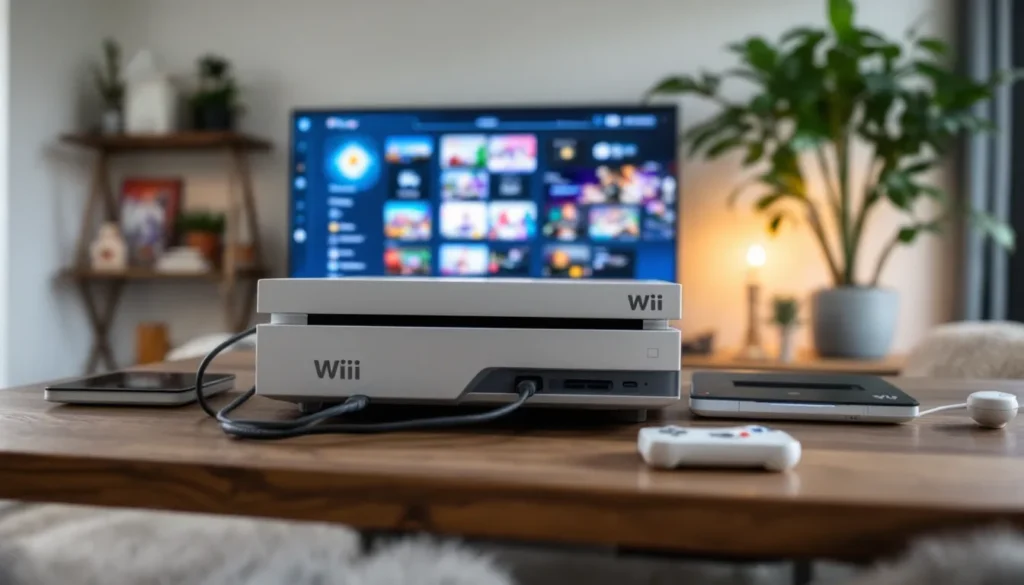
The original Wii launched in November 2006 in North America, featuring the white console with built-in GameCube backward compatibility. This model could play both Wii discs and GameCube games, making it a gateway between Nintendo’s previous generation and the new motion-controlled era.
The Wii included two ports on the back: an SD card slot for storage and media, and a proprietary connector for the sensor bar. Ports on the side accommodated Wii Remote controllers via battery compartment, and a USB port allowed external storage and accessories. The GameCube compatibility meant two controller ports and two memory card slots, handy for players with extensive GameCube libraries.
The Wii Family Edition, released in late 2008, removed GameCube backward compatibility entirely. This cost-cutting measure dropped the price, making the Wii gaming system more accessible to budget-conscious buyers. The Family Edition came pre-bundled with Wii Sports in most regions, justifying the “Family” branding. If you’re buying used in 2026, the Family Edition is generally cheaper, but it sacrifices GameCube functionality.
Both models used the same game library, had identical motion control capabilities, and required the same accessories. The only practical difference was backward compatibility.
Wii Mini: The Compact Alternative
The Wii Mini, released in 2012 as the Wii neared end-of-life, was a radical redesign. This pint-sized red console looked like a mini-fridge and used a Nintendo proprietary disc format rather than standard DVDs. Internally, it was essentially a Wii with a different form factor.
The Wii Mini eliminated GameCube support completely. It dropped the SD card slot and built-in WiFi, though it did include a Wii Remote Plus controller. The upside: it cost less and consumed less energy. The downside: no online connectivity without purchasing a separate USB WiFi adapter, and limited storage options.
The Wii Mini targeted households wanting a stylish, space-saving console. It succeeded in its niche but never achieved the market penetration of the original Wii gaming system. Today, it’s a collector’s curiosity rather than the obvious choice.
Wii U: The Ambitious Successor
The Wii U, released in November 2012, was Nintendo’s attempt to evolve the Wii’s legacy. Rather than abandoning motion controls, the Wii U doubled down, adding a GamePad controller with an integrated touchscreen.
The concept was radical: the GamePad featured a 6.3-inch resistive touchscreen, dual analog sticks, traditional buttons, accelerometers, and gyros. Games could use asymmetric gameplay where the GamePad user had different information or capabilities than TV-screen players. Titles like Nintendo Land and ZombiU explored these possibilities with varying success.
The Wii U was significantly more powerful than its predecessor, bringing it closer to PS3/Xbox 360-level graphics. Backward compatibility with Wii games and accessories was full, you could play your entire Wii library on Wii U hardware.
Even though innovative hardware, the Wii U struggled commercially. Market confusion about whether it was an accessory or standalone console hurt sales. The GamePad’s battery life (around 3-5 hours) and weight proved controversial. The software library, while containing gems like Bayonetta 2 and Splatoon, couldn’t compete with the PS4 and Xbox One’s launch libraries.
Today, Wii U consoles are priced between the original Wii and current-generation hardware on the used market. For players wanting the largest library of motion-control games plus enhanced graphics and GamePad functionality, it’s a capable option. Backward compatibility with Wii games makes it a versatile platform.
Must-Play Wii Games Every Enthusiast Should Know
The Wii gaming system’s library is genuinely staggering. Over 1,300 games were released across the console’s lifetime. Distilling that to must-plays is challenging, but these titles defined the platform and remain the best reasons to own Wii hardware today.
Sports And Party Titles
Wii Sports is non-negotiable. This launch title bundled with most consoles features five sports: tennis, baseball, bowling, golf, and boxing. Each translates motion control into intuitive gameplay. Bowling is legitimately fun, you physically swing your arm, releasing at the right moment to determine curve and power. Tennis feels responsive. The simplicity is the genius.
Wii Sports Resort expanded the formula with MotionPlus support, adding 12 sports including basketball, archery, sword play, and wakeboarding. The motion precision is noticeably tighter than the original. Archery stands out, subtle wrist movements matter. Sword play translates arm positioning directly to on-screen swordcraft.
Wii Fit and Wii Fit Plus leaned into fitness gaming, turning your living room into a gym. The balance board accessory tracked your weight distribution and posture. Yoga, strength training, and aerobic exercises generated meaningful movement. While not a replacement for real fitness, it genuinely motivated activity, particularly among sedentary audiences.
Mario Party 8 and Mario Party 9 adapted the turn-based board game formula to motion controls. Players rolled dice by shaking the Remote, played mini-games requiring specific motions, and engaged in multiplayer chaos. These aren’t deep strategically, but they’re party-ready fun.
Action And Adventure Classics
The Legend of Zelda: Twilight Princess and The Legend of Zelda: Skyward Sword are among the best Zelda games ever made, though opinions on their motion control implementation diverge.
Twilight Princess arrived at launch and played it relatively safe. Sword swings mapped to Remote motions, but the game compensated for imprecise input by being forgiving. The massive open-world exploration, beast-transforming narrative, and puzzle design transcended controls, Twilight Princess would be excellent on any platform.
Skyward Sword, released in 2011, committed completely to motion controls. Every action, sword swings, shield positioning, item usage, even object manipulation in puzzles, required specific Remote gestures. The game is brilliant or frustrating depending on who you ask. Devotees praise the physicality and intent-driven gameplay. Detractors found motion input occasionally unresponsive or gimmicky.
Super Mario Galaxy and Super Mario Galaxy 2 brought motion controls to 3D platforming in unexpected ways. Shaking the Remote made Mario spin-attack, used star bits as currency, and triggered gravity shifts. The core platforming was tight and responsive. Motion control never felt required: it enhanced rather than defined gameplay.
Donkey Kong Country Returns and Donkey Kong Country Tropical Freeze (Wii U) delivered 2D platforming with brutal difficulty and excellent level design. Motion controls were minimal, mostly background interactions. These stand among the best platformers on any Nintendo platform.
Metroid Prime 3: Corruption translated the first-person adventure series to motion aiming. You aimed the Reticle by pointing the Remote at the screen. Purists debated whether this improved or diminished the experience, but most agreed it worked competently.
Kirby’s Return to Dream Land and Kirby’s Dream Collection offered charming platforming. Kirby’s Epic Yarn on Wii U is a stylistic departure featuring yarn-based visuals and physics, quirky and lovable.
Recent coverage on gaming guides and reviews frequently revisit the Wii’s library when discussing motion control innovation. The consensus remains that while not every Wii game perfectly executed motion controls, the platform produced several masterpieces that transcended their control scheme.
Setting Up And Maintaining Your Wii Console
Getting a Wii gaming system operational today requires understanding modern connectivity challenges and proper maintenance. Here’s what you need to know.
Connection Options And Accessories
The original Wii connected to networks via WiFi or a wired Ethernet adapter. Modern WiFi standards have evolved significantly, and some older Wii hardware supports only 802.11b/g, which can struggle with contemporary routers defaulting to newer standards.
WiFi Setup:
- Go to Wii Settings (button on the bottom of the home menu)
- Select “Internet” and “Connection Settings”
- Create a new connection and choose “Wireless”
- Select your network from the list
- Enter your WiFi password
- Test the connection
If you encounter connection failures, ensure your router broadcasts 2.4GHz (many modern routers do by default, but some have disabled legacy bands). The Wii doesn’t support 5GHz networks.
Wired Connection:
A USB-to-Ethernet adapter connects directly to the Wii’s USB port. This bypasses WiFi entirely and is more reliable for consoles with WiFi hardware degradation. The adapter requires additional software installation via SD card.
Essential Accessories:
- Sensor Bar: Absolutely required for pointer functionality and many games. Replacements are inexpensive, third-party versions work fine.
- Wii Remote Plus: Includes built-in MotionPlus. If buying used, verify rumble functionality by checking the haptic response.
- Nunchuk Controller: Needed for many games. The analog stick wears out with age: check for stick drift before purchasing used.
- Classic Controller: Resembles traditional gamepads. Excellent for games that don’t require motion input, particularly older GameCube ports.
- GameCube Controller: For GameCube backward compatibility or GameCube-specific Wii games.
- Wii Balance Board: Required for Wii Fit. Verify calibration works during purchase.
Troubleshooting Common Issues
Disc Read Errors:
This was the most common Wii hardware failure. A dirty laser lens or mechanical wear caused the console to fail reading discs. Fixes include:
- Cleaning the laser lens with isopropyl alcohol and a soft cloth
- Lens replacement kits (risky for non-technical users)
- Professional repair services (expensive, often more than the console’s current value)
Prevention is better than cure: store discs vertically in cases, keep the console in a well-ventilated area, and avoid stacking objects on top of it.
Remote Connectivity Issues:
If the Remote stops responding:
- Replace the AA batteries (seriously, old batteries are the culprit 70% of the time)
- Re-sync the Remote by pressing the sync button on the console and then on the Remote
- Check that the sensor bar has power and is positioned correctly (it should be horizontal above or below the TV)
Poor WiFi Performance:
The Wii’s WiFi antenna is notoriously weak. Repositioning the console closer to the router often resolves lag. If that fails, switch to a wired connection.
Overheating:
The Wii runs quietly and generates minimal heat, but adequate ventilation is still important. Ensure at least 4 inches of clearance on all sides. If the console shuts down unexpectedly during play, dust buildup on the heatsink may be responsible. Compressed air cleaning helps.
Software updates for the Wii ended years ago, so security patches are no longer available. For this reason, avoid extensive online activity on older Wii hardware and never input credit card information. Gaming sites like IGN have published deep-dives into Wii hardware longevity and maintenance best practices.
The Wii’s Legacy And Lasting Impact On Gaming
Nearly two decades after launch, the Wii gaming system’s influence permeates modern gaming in ways that deserve examination. The console didn’t just succeed commercially, it fundamentally altered industry thinking about what gaming could be.
Motion Control Philosophy:
The Wii proved that intuitive input could trump raw performance specs. Every console since has integrated motion sensing. The Nintendo Switch’s Joy-Con controllers directly inherited Wii Remote MotionPlus technology. PlayStation VR and Valve Index controllers use evolved versions of Wii’s accelerometer-and-gyro foundation. The Wii didn’t invent motion control, but it demonstrated that mainstream audiences would embrace it.
Accessibility As A Design Principle:
Before the Wii, accessibility in gaming meant minimum difficulty settings. The Wii reconceptualized accessibility as removing barriers to entry entirely. Controllers that didn’t intimidate non-gamers. Games that taught themselves through intuitive design rather than complex tutorials. Features like adjustable motion sensitivity for players with limited mobility. This philosophy influenced game design across the industry.
The Casual Gaming Boom:
The Wii’s success proved that casual gamers represented an enormous, untapped market. Publishers responded by greenlit casual titles, party games, and wellness software. This stratification, hardcore vs. casual, defined console marketing for over a decade. While the terminology is debated now, the reality that gaming encompasses players with wildly different interests became undeniable.
Social Gaming:
Multiplayer gaming existed before the Wii, but the console weaponized the living room experience. Bowling together, playing tennis in your home, working out as a family, these weren’t novel concepts, but the Wii’s accessibility made them central to console value propositions. Modern gaming still emphasizes couch co-op and local multiplayer as features.
Hardware Innovation Cycles:
The Wii demonstrated that raw processing power wasn’t always the determining factor in market success. It outsold more powerful competitors by focusing on innovation in interface rather than horsepower. This lesson influenced Nintendo’s strategy across subsequent consoles, including the Switch, which prioritized portability and design flexibility over graphical prowess.
The Negative Aspects:
Fairness demands acknowledging that the Wii’s success also attracted opportunistic third-party developers who churned out low-quality motion-controlled games. The library is absolutely loaded with shovelware, licensed games, motion-controlled minigame collections, and games that felt like tech demos. This glut of mediocrity created a narrative that the Wii “lacked serious games,” which overshadowed the legitimate classics it did produce.
The aging hardware also means the Wii gaming system is increasingly difficult to play online. Server shutdowns reduced online functionality. The proprietary disc format means games can’t be legally emulated in most jurisdictions. While emulators exist, the legal gray area complicates preservation.
Current Relevance:
In 2026, the Wii gaming system remains valuable for understanding gaming history and enjoying nostalgic experiences. The physical library is readily available used for reasonable prices. Motion control gameplay hasn’t aged as poorly as some predicted, games designed with motion input’s strengths in mind remain engaging. Resources like GamesRadar+ regularly feature retrospectives on the Wii’s catalog as the system enters true retro status.
The console occupies a fascinating place in gaming history. It wasn’t the most technically impressive system of its generation, nor did it have the largest library of universally acclaimed titles. But as a cultural phenomenon that expanded gaming’s definition and audience, it remains unmatched. The Wii gaming system transformed from a novelty console into an institution.
Conclusion
The Nintendo Wii gaming system stands as one of gaming’s most important consoles, not because of raw power or cutting-edge graphics, but because of what it proved: that innovation in how we interact with games matters as much as the games themselves.
For newcomers, the Wii remains an accessible entry point into gaming history. The library of must-play titles, from Twilight Princess to Galaxy to Donkey Kong Country Returns, offers genuine quality across diverse genres. The motion controls, once cutting-edge, now feel like a natural input method rather than a gimmick.
For returning players, revisiting the Wii gaming system offers perspective on how far the industry has come while reminding us that some core principles haven’t changed: accessibility matters, fun transcends graphics fidelity, and innovation in game design often matters more than incremental hardware improvements.
Whether you’re hunting for a Wii to relive memories or build a collection, understanding its models, library, and technical quirks ensures you’ll make informed choices. The console is entering true retro status, no longer current, but increasingly recognized as historically significant. In that transition lies its true legacy: a system that changed gaming not through brute force, but through thoughtful innovation and genuine care for expanding who gets to play.